
Beauty Camera: Sweet Camera
Mobile_V5Beauty
4.6262.00 Reviews
- Version
- 2.3.2
- Installs
- 10.00M
- Age Rating
- Everyone
Screenshots
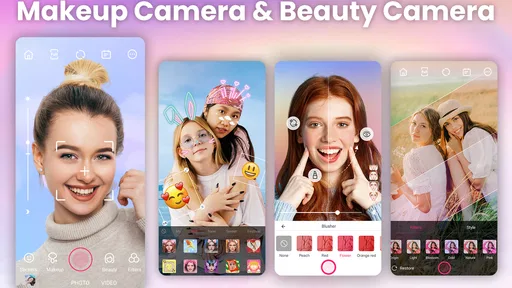
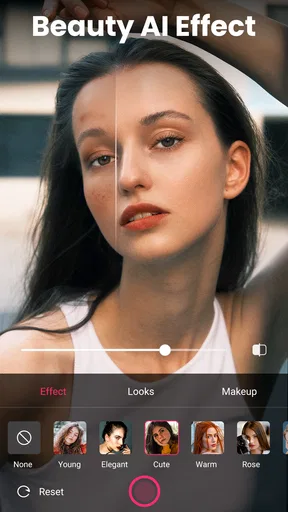
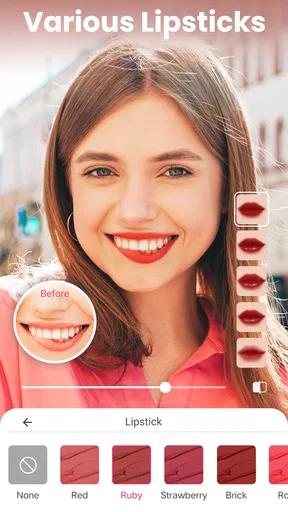
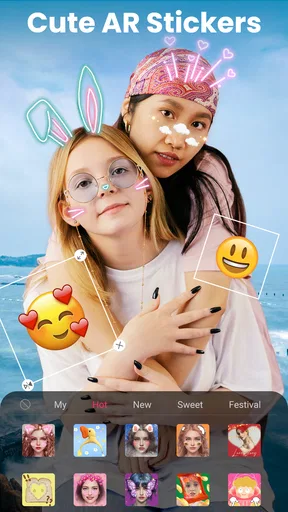
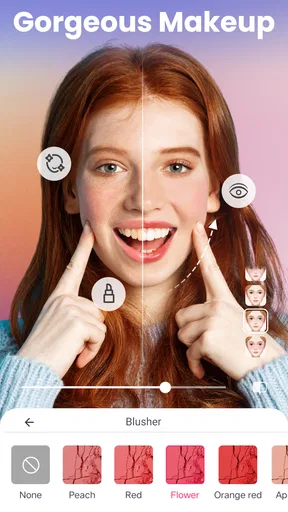
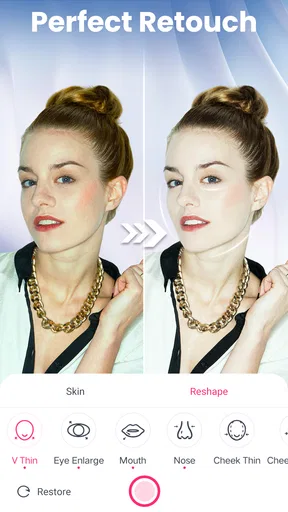
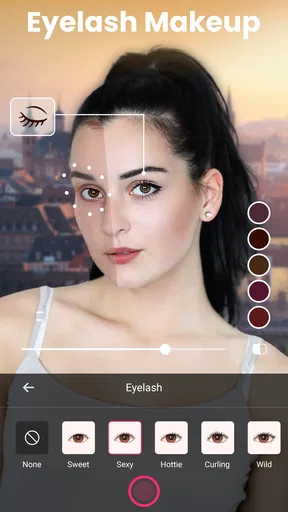
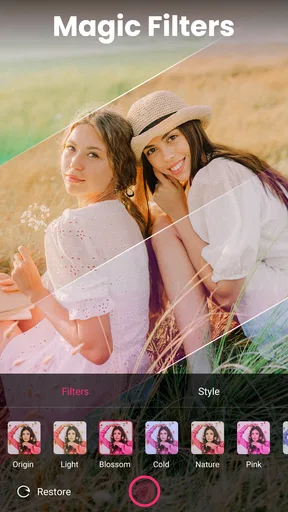
Our Review of Beauty Camera: Sweet Camera
 Analysis by Appyee
I’d approach Beauty Camera: Sweet Camera as a quick, hands-on selfie and photo editor rather than a replacement for a full desktop editing suite. Its appeal is the chance to try a beauty adjustment, filter, sticker, or collage without turning a simple photo into a long project. If you’re new to this kind of app, the best first goal is modest: take one ordinary selfie, make one small change, and compare it with the original before deciding whether to add anything else.
Who will get the most from it
This is a sensible fit if you like preparing selfies for chats or social posts and want several playful editing choices in one place. It can also suit someone who rarely edits pictures but wants to crop a shot, add a bit of text, or make a collage from a handful of memories. The app is free to download, though in-app purchases range from $1.99 to $19.99 per item, so I’d explore the parts I actually need before spending money.
I would be more cautious if you want precise retouching, detailed control over color, or a carefully repeatable workflow for a large batch of photos. A dedicated photo editor is usually a better match for those jobs. Beauty Camera’s attraction is convenience and an approachable mix of selfie effects and playful extras, not a promise of professional-grade control. It is also worth remembering that a beauty adjustment can look different across lighting and camera angles, so I’d judge the result on the actual picture rather than assume one setting will suit every face.
A comfortable first session
After installing, I’d start by opening a single photo or taking a fresh selfie, then look through the available controls before stacking effects. That keeps it easy to tell what each change is doing. Try a light touch first: compare the edited image with the untouched one, and back off if smoothing or brightening makes the result feel less like you. This simple check is more useful than chasing the strongest effect just because the slider allows it.
For a practical first win, take a selfie near a window, where the light is even, and test one beauty adjustment and one filter. If the photo already has harsh shadows or a very warm indoor cast, an intense filter may exaggerate those qualities rather than fix them. I’d keep the original available while experimenting, especially when adding stickers, text, or other decorative elements. That way, the edited version stays a choice rather than the only copy you have to work with.
Small choices that make edits look better
A useful trick with selfie tools is to treat them as separate decisions: first adjust the face, then decide whether the overall color needs a filter. Combining several strong effects can make a picture look less natural, and it also makes it harder to identify which change helped. I’d use the preview as a checkpoint after every adjustment. For a profile photo, restraint tends to age better than a look that depends on a very noticeable effect.
Stickers and text are better suited to casual images, greetings, or a joke between friends than to every photo. Before placing them, consider where the subject’s face and the important details sit; a decorative element can cover the part of the picture you wanted people to notice. For a collage, I’d choose photos with roughly compatible lighting and color. Even a good layout can feel disjointed if one image is dim and another is brightly lit, so a little selection beforehand saves time.
First Impressions
So, I’ve been playing around with this app called Beauty Camera: Sweet Camera for a while now, and let me just say, it’s like having a mini Photoshop right in your pocket. If you’re like me and love snapping selfies or just messing around with photos, this app is going to be your new best friend. Let’s dive into the nitty-gritty of what makes this app tick.
When you first open Beauty Camera: Sweet Camera, you’re greeted with a super clean and intuitive interface. It’s like the app just knows you want to get straight to the point and start editing. The design is straightforward, and I appreciate that because the last thing you want is to get lost in a maze of features when all you want is to make your selfie pop.
Features Galore!
Okay, let’s talk features because this app is packed with them. The first thing I noticed was the real-time beauty effects. You can literally see the changes happening as you adjust settings like skin smoothing, eye brightening, and even contouring. It's like magic – you slide a bar, and boom, instant glam.
Next up, the filters. Oh my goodness, the filters! There are so many to choose from, ranging from subtle enhancements to dramatic transformations. Whether you’re going for a natural look or something more artistic, you’re covered. I personally love the retro filter; it gives off such a cool, vintage vibe.
Editing Tools
Beyond the beauty effects, the editing tools are impressive. You’ve got your basics like cropping and rotating, but there’s also a ton of other stuff like adding text and stickers, which is fun if you’re into creating memes or just personalizing your shots. I played around with adding some cute stickers to a picture of my dog, and it turned out adorable.
One feature that stood out to me was the collage maker. It’s super easy to combine multiple photos into one beautiful layout. The app offers various templates, and it’s perfect for posting those weekend getaway photos all in one go. Plus, you can adjust the borders and backgrounds to fit your style.
User Experience
The app runs smoothly, which is always a plus. I didn’t experience any lag or crashes, which can be a real buzzkill when you’re in the middle of editing the perfect shot. The app also doesn’t bombard you with ads, which is a huge relief – nothing worse than being interrupted by an ad when you’re deep in editing mode.
I also noticed that Beauty Camera: Sweet Camera has a decent tutorial section. For those of you who might be a bit overwhelmed by the plethora of features, these tutorials are super handy. They guide you through the basics and even some advanced tricks, so you can get the most out of the app.
Choosing it over a simpler camera
Compared with relying only on a phone’s built-in camera, this app brings selfie adjustments and decorative editing into the same experience, which is handy when I want to make a quick change without switching between several tools. The built-in camera is still the better choice when I want the least processed image or simply need to capture a moment quickly. I’d take the picture first and edit afterward when timing matters; pausing to choose a look can mean missing the shot.
For a more involved project, a general-purpose photo editor may offer a more deliberate set of adjustments and a clearer path to fine-tuning. That doesn’t make it the better option for every casual selfie. The practical choice depends on what I’m trying to finish: a quick, expressive image suits Beauty Camera’s collection of effects and embellishments, while careful color work or consistent edits across many photos call for a more specialized workflow.
Details worth checking before you settle in
Beauty Camera is a beauty app from Mobile_V5, and its current version is 2.1.3. It is rated for Everyone and runs on Android 6.0 or later. The app has a 4.7 average from around 32 thousand ratings and over 10 million installs. Those figures suggest it has found a broad audience, but they can’t tell me whether its editing style suits my taste; a quick test with my own photos is still the fairest way to decide.
One point a first-time user may wonder about is whether the app costs anything to try. It is free to download, with optional in-app purchases; I’d treat those as a separate decision rather than assume every tool or item is included at no cost. Another natural question is whether it is only for selfies. The editing options described here also make sense for casual photos, collages, and images you want to personalize, though its beauty-focused approach is most relevant when a face is the subject.
It is also reasonable to ask whether the results will always look realistic. That depends on the effect, the strength chosen, and the original lighting. I’d avoid judging a selfie under one harsh lamp as a reliable test of every filter, and I would compare edited and unedited versions before sharing. The aim, for me, is to make a picture feel finished, not to erase every detail that makes it look like a real moment.
Final Thoughts
In conclusion, if you’re looking for a reliable app to enhance your photos without too much fuss, Beauty Camera: Sweet Camera is definitely worth checking out. It’s got everything from simple edits to full-on glam transformations. Whether you’re a selfie enthusiast or just someone who likes to dabble in photo editing, this app has something for everyone.
With its user-friendly interface, diverse range of features, and smooth performance, it’s an excellent choice for anyone wanting to up their photo game. So go ahead, give it a whirl and let your creativity shine!
My practical recommendation
For a first session, I’d keep the goal simple: choose one photo, make a subtle adjustment, try a filter only if it improves the mood, and save the decorative options for a picture that calls for them. If the result feels too polished, undoing one effect at a time is a better fix than starting over blindly. That small habit makes the app easier to learn and helps keep edits personal rather than formulaic.
I’d recommend giving it a try if you enjoy experimenting with selfies and want quick access to beauty effects, filters, stickers, text, and collage-making. I’d skip it if your priority is meticulous retouching or an unaltered camera experience. For everyone in between, it offers an approachable way to make a casual photo feel more finished, as long as you use the effects with a light hand and choose the right tool for the job.
Privacy and Permissions
See what permissions an app requests and how it handles your data.
- Location
- approximate location (network-based), precise location (GPS and network-based)
- Photos/Media/Files
- read the contents of your USB storage, modify or delete the contents of your USB storage
- Storage
- read the contents of your USB storage, modify or delete the contents of your USB storage
- Camera
- take pictures and videos
- Microphone
- record audio
- Wi-Fi connection information
- view Wi-Fi connections
- Other
- view network connections, full network access, set wallpaper, draw over other apps, control vibration, prevent device from sleeping
Verdict
Strengths of Beauty Camera: Sweet Camera
- User-friendly interface, easy to navigate.
- Wide range of filters and effects.
- Real-time beauty enhancement features.
- Supports high-resolution photo output.
- Quick sharing options to social media.
Limitations of Beauty Camera: Sweet Camera
- Contains in-app advertisements.
- Some features require in-app purchases.
- Consumes significant device storage.
- Limited video editing capabilities.
- Occasional glitches in older devices.
Other Releases by Mobile_V5
View All
HD Camera for Android
Photography4.6

Music Player - Audio Player
Music & Audio4.7
Similar Picks in This Category
View All
Beauty Makeup Editor & Camera
Photo & Video Editors - Instant Solution4.7

Perfect365: Face Makeup Editor
Perfect365, Inc.3.5

Mirror Plus - HD Mirror app
Digitalchemy, LLC4.8

Cute Lock Screen & Wallpapers
Prometheus Interactive LLC4.6

HD Camera for Android
One Music Player4.5

Phone Mirror app - True Mirror
Cards4.6
Frequently Asked Questions
What features does Beauty Camera: Sweet Camera offer?
Beauty Camera: Sweet Camera provides a variety of features including real-time beautification, filters, stickers, and editing tools. Users can smooth skin, enhance eyes, and adjust facial features. The app also includes advanced options for makeup and hairstyle changes, making it a versatile tool for photo editing enthusiasts.
Is Beauty Camera: Sweet Camera free to use?
Yes, Beauty Camera: Sweet Camera is free to download and use. However, it offers in-app purchases for additional features and filters. These premium options provide enhanced editing tools and effects, which can be useful for users looking to access a wider range of customization options.
How user-friendly is the interface of Beauty Camera: Sweet Camera?
The interface of Beauty Camera: Sweet Camera is designed to be intuitive and user-friendly. Even users who are new to photo editing apps will find it easy to navigate. The layout is straightforward, with clearly labeled icons and tools, making it accessible for users of all experience levels.
Does Beauty Camera: Sweet Camera support social media sharing?
Yes, Beauty Camera: Sweet Camera allows users to share their edited photos directly to various social media platforms. The app provides seamless integration with popular networks like Instagram, Facebook, and Snapchat, enabling users to showcase their creations quickly and effortlessly.
What are the system requirements for Beauty Camera: Sweet Camera?
Beauty Camera: Sweet Camera requires Android 5.0 or later and iOS 10.0 or later to function properly. It's compatible with most modern smartphones and tablets, but users should ensure their device meets these requirements for optimal performance. Regular updates may also require additional storage space.
